



Product Description
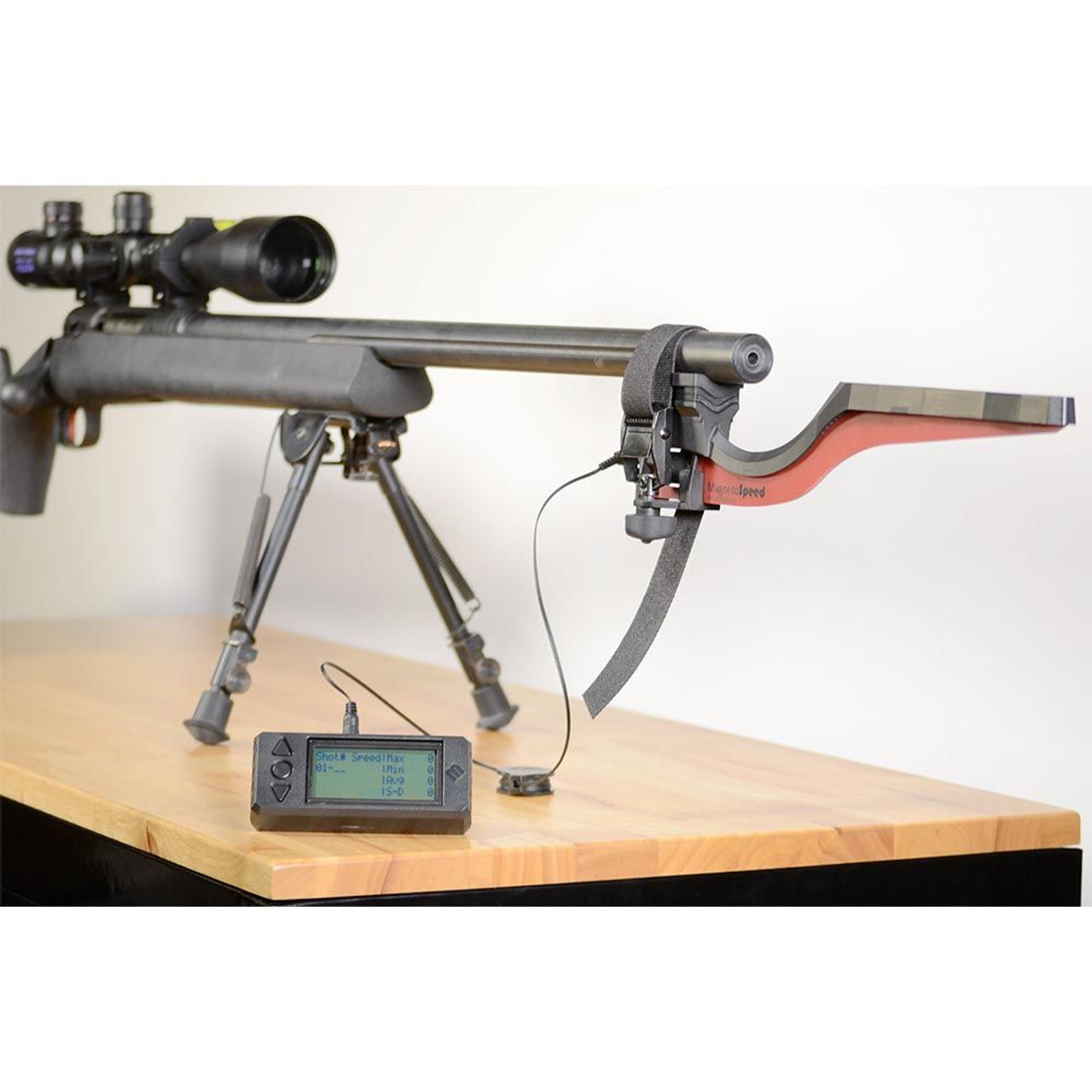
MagnetoSpeed V3 Ballistic Chronograph in Hard Case
The MagnetoSpeed V3 ballistic chronograph kit was designed to be used on barrels and suppressors from one-half inch all the way up to 2 inches in diameter. In addition to the larger diameter tolerance, the V3 also has one inch more clearance in the blast zone to account for longer (up to 3" in most cases) muzzle brakes, flash hiders, etc.
MagnetoSpeed V3 features an improved designed with the following features:
- Improved Display
- Three-button menu system
- Battery options are (1) 9-Volt or (2) CR123s
- Easy access battery compartment, no need for screwdriver to swap batteries
- Improved shooting modes, with the ability to now operate with air guns
- Downloadable firmware updates
- Advanced data logging and troubleshooting capabilities
- More compact and rugged display housing
- Rapid mode with rate-of-fire
- Redesigned Bayonet
- Rugged strapping system; with metal buckle and triad thumb nut
- Proven technology with updated sensor design
- New profile and color scheme
- New bracket to allow for future alternative attachment options
- Dual data connection points
Kit includes:
- Display Unit
- Retractable connection cable
- Standard 6ft connection cable
- Stainless steel blast shield
- Thick and thin rubber V-block spacers
- microSD card with adapter
- Bayonet sensor
- Polymer spacer kit with screw hardware and allen wrench
- Heavy duty strap with thumb nut tightener
- Hard case with custom cut foam
- Alignment rod
- Instructions
Note: DO NOT MOUNT BAYONET ON ANY SUPPRESSOR COVERS. THE BAYONET MUST BE MOUNTED DIRECTLY ON THE SUPPRESSOR TO ENSURE PARALLEL MOUNTING AND PREVENT POSSIBLE BULLET STRIKES.
What is the difference between the V3 and Sporter Models?
The main difference is that the Sporter can fit on barrels from .5" to 1" in diameter. The V3 can fit on barrels and suppressors from .5" to 2" in diameter. Use this comparison chart to see major and minor differences.
UPDATE INFORMATION:
WARNING: Before you start the update, back up any archived data. The upgrade will clear the SD card. Place cursor over link, right click and select SAVE AS to download directly to your computer. Make sure the file to the firmware is a word document, not another format or hyperlink, and named fw.hex Once file is on your computer, remove the SD card from your V3 display and put into your computer's SD card slot. Use the larger microSD card adapter (included in the V3 kit) if needed. Copy and paste OR drag the file from your computer to the SD card. Remove the SD card from your computer and re-insert it back into the V3 display. Here is the link to the instructional video that shows you how to start the Bootloader program on the V3 display: https://www.youtube.com/watch?v=oyG1PWWsqwg (Video in Product Videos Tab as "V3 Firmware Update"). Please select slow (put slow in BOLD) upgrade, not regular upgrade, when prompted by the display. The update will take about 4-5 minutes. When SUCCESS shows up on the display, follow the prompts on the display to get back to the ready screen. If you have any issues; please email rhey@magnetospeed.com
Get the update file here and scroll down to the bottom of the page where it says "MAGNETOSPEED DOWNLOADS".


